



Let’s be honest. Second Life residents have a complicated relationship with performance.We love beautiful landscapes, detailed avatars, fancy PBR materials, reflective floors, elaborate lighting and homes with approximately seventeen thousand decorative objects.
But the moment we enter a crowded shopping event, our FPS decides it would rather take an extended vacation.
A different kind of viewer
Aurora isn’t simply trying to give us another coat of paint over the familiar Second Life experience. It’s built on a new codebase, written in Rust, with a modern Vulkan-based graphics renderer. In other words, the people behind Aurora are taking a different approach to how the viewer handles the world around us.
The interface is modern, clean and rather different from what many of us are accustomed to. It has a fresh look without forgetting that we’re still here to enjoy Second Life. And before anyone panics about having to learn everything all over again, Aurora aims to preserve the familiar behaviour of traditional viewers while introducing its own improvements.
So, what makes it interesting?
Quite a lot, actually. Performance is one of its biggest selling points. Aurora is designed to make better use of modern graphics hardware, with a GPU-driven rendering system and Vulkan. The developers even publish performance comparisons showing impressive results against a traditional viewer. Of course, these are their own tests, not a guarantee that every resident will experience the same improvement.
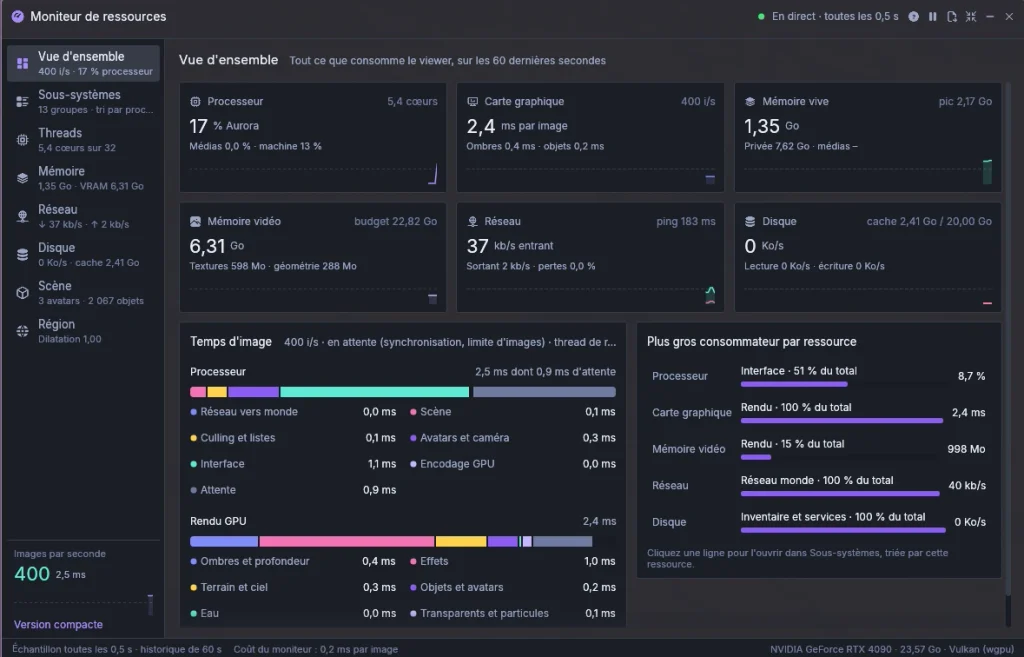
But there’s another feature I particularly appreciate: the built-in Resource Monitor.Instead of simply staring at an FPS counter and wondering why your avatar is moving like a slideshow, Aurora gives you a much closer look at what’s happening behind the scenes. GPU rendering, processor usage, texture memory, network activity and even individual rendering tasks can be monitored.
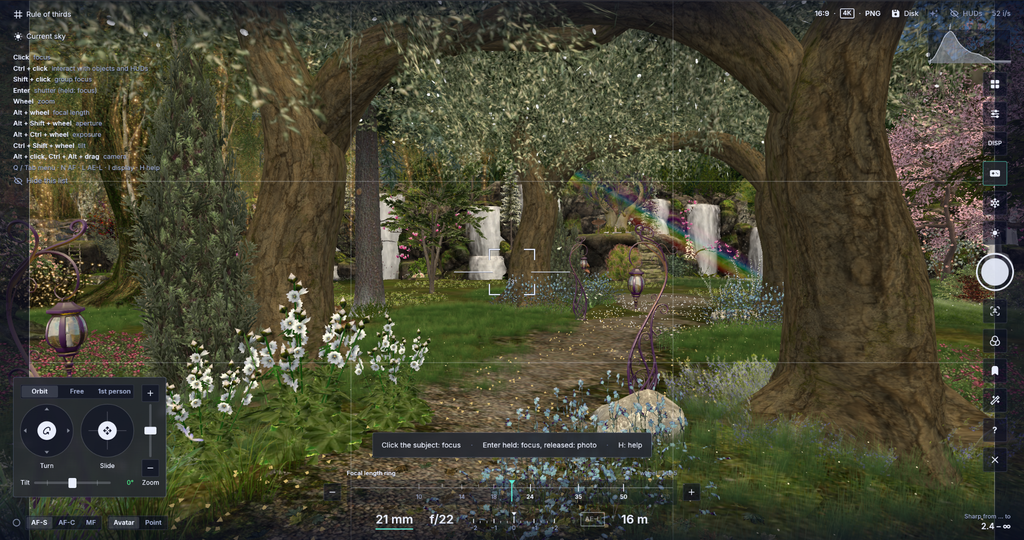
Now, this is where photography in Aurora starts getting really exciting! I love how much control it puts in your hands. You can experiment with autofocus, play with lens settings, create beautiful depth-of-field effects, and even isolate your subject from the world around them. Add the filters, lighting effects and camera presets to the mix, and suddenly you’re not just taking a snapshot, you’re creating a photograph with its own atmosphere, mood and personality. And with options like 8K captures and a free camera, there’s plenty of room to get creative!
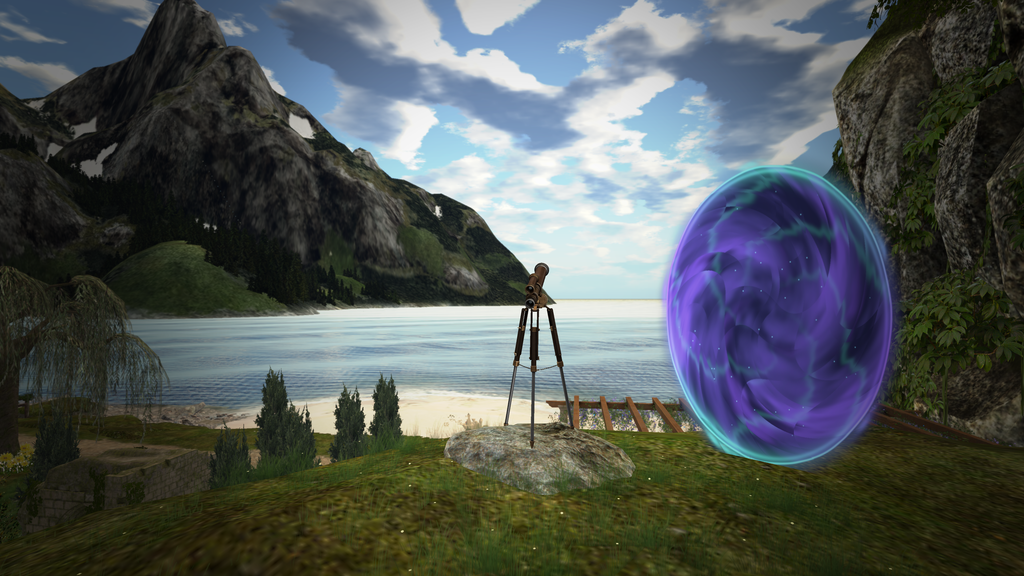
Probably the coolest way to make an entrance…or an exit! You can literally rez your landmark and turn it into a portal. You step through it and off you go. But here’s the fun part: it works both ways! You can actually step back into the portal and return to where you came from. Because apparently, walking, flying or simply clicking a landmark wasn’t futuristic enough.
And what about our precious graphics?
Good news for those who refuse to sacrifice beautiful scenery just to gain a few extra frames.Aurora supports many of the features we already enjoy and more without loosing performance:
- PBR materials and legacy materials.
- EEP skies and environments.
- Shadows and ambient occlusion.
- Reflection probes and mirrors.
- Water reflections and glow.
- Real weather system
- AMD FSR 3.1 upscaling.
My little experiment
Naturally, I couldn’t just read about Aurora and walk away. I had to install it and see what happened. I tested it on my own laptop, comparing it with my usual Firestorm experience. My first impression? Aurora gave me at least 15-20 additional FPS and even more sometimes. Now, that’s not a scientific benchmark, and performance will vary depending on the location, graphics settings, avatars and hardware. But it was enough to make me curious. I also spent some time exploring its graphics settings. There are plenty of options to experiment with. The interface is quite friendly and even customizable. I can literally change the color of the UI to my liking. There are little details that make the difference and give it the fresh feeling that we need. Oh and the weather system is very cool!!!
I haven’t finished exploring everything yet, plus it gets constantly new features but I’m certainly interested in seeing where this goes.
Other remarkable features
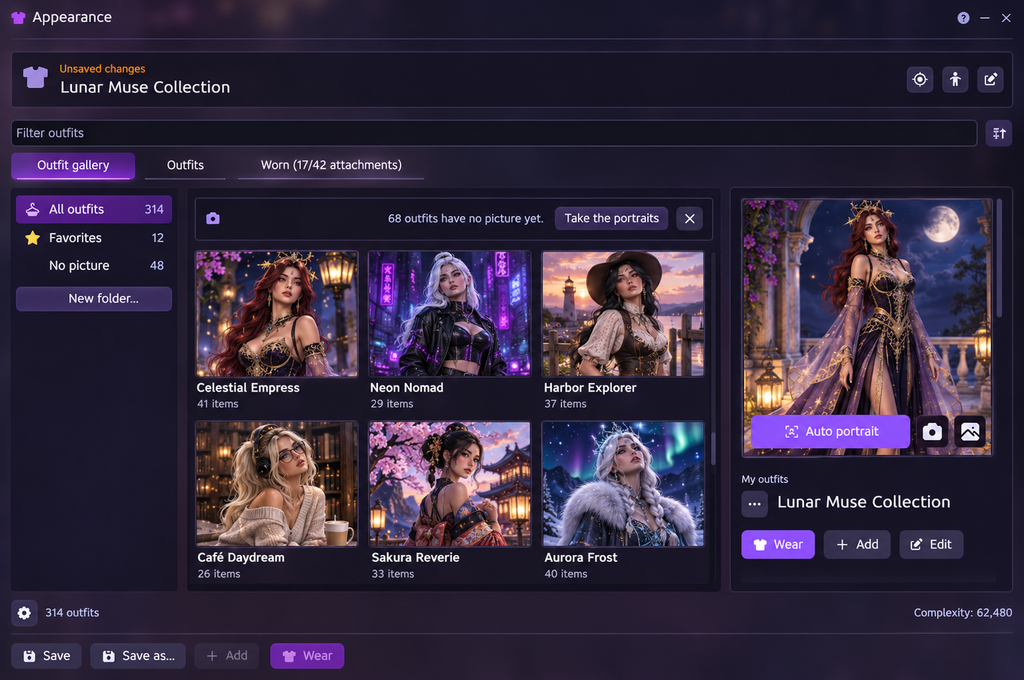
Aurora displays outfits as large pictures, supports favourites and folders, and lets you wear an outfit with one click. It can automatically create portraits of your outfits, including taking portraits of every outfit in one go.
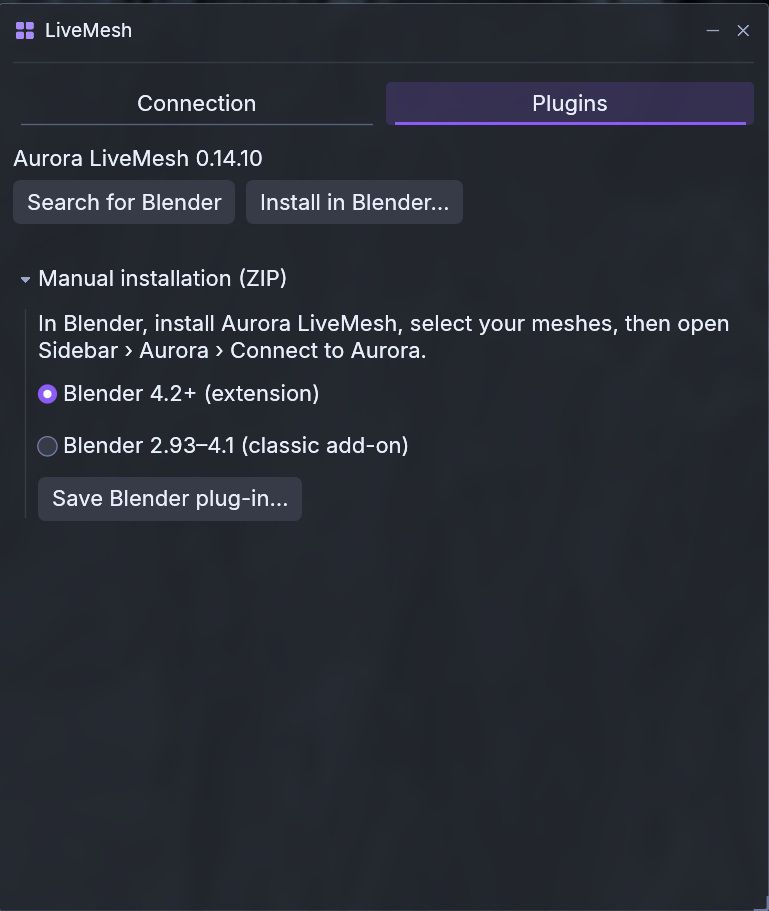
Creators can edit a mesh in Blender and see the changes directly inside Aurora without uploading it first. Rigged meshes can also follow your avatar
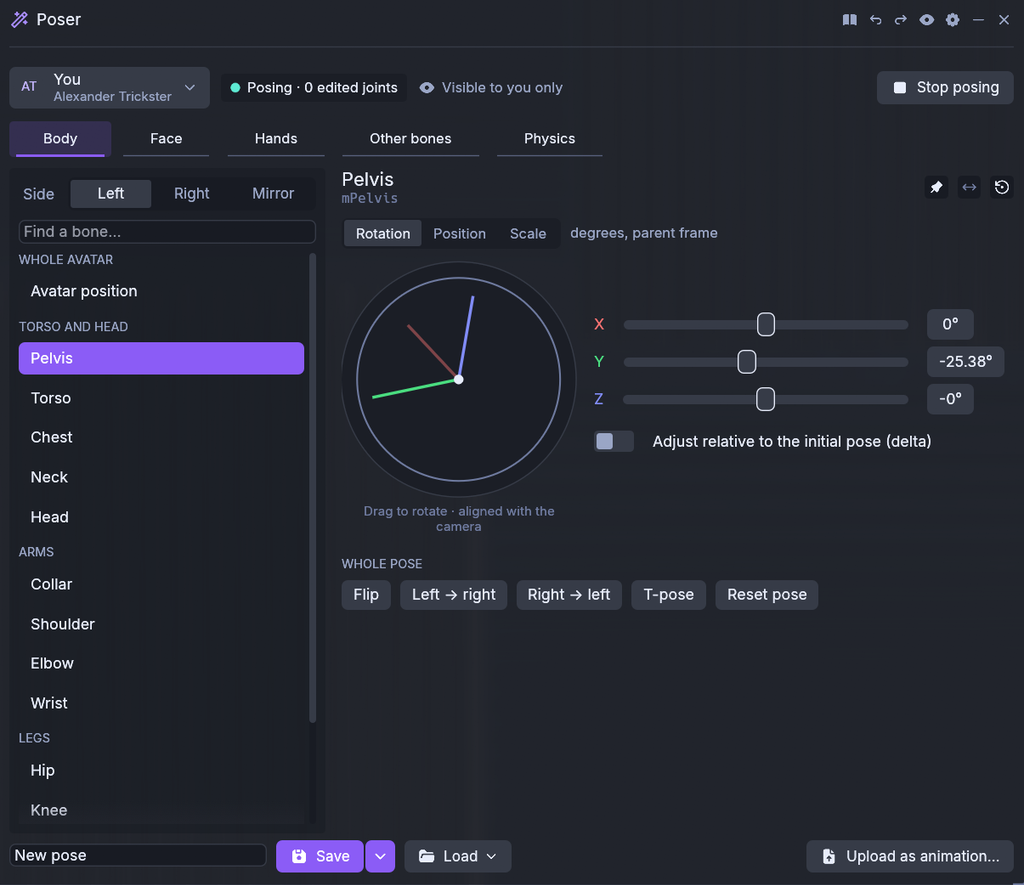
You can pose your avatar, animesh and consenting nearby avatars joint by joint. Save poses, export BVH files, or import them as animations.
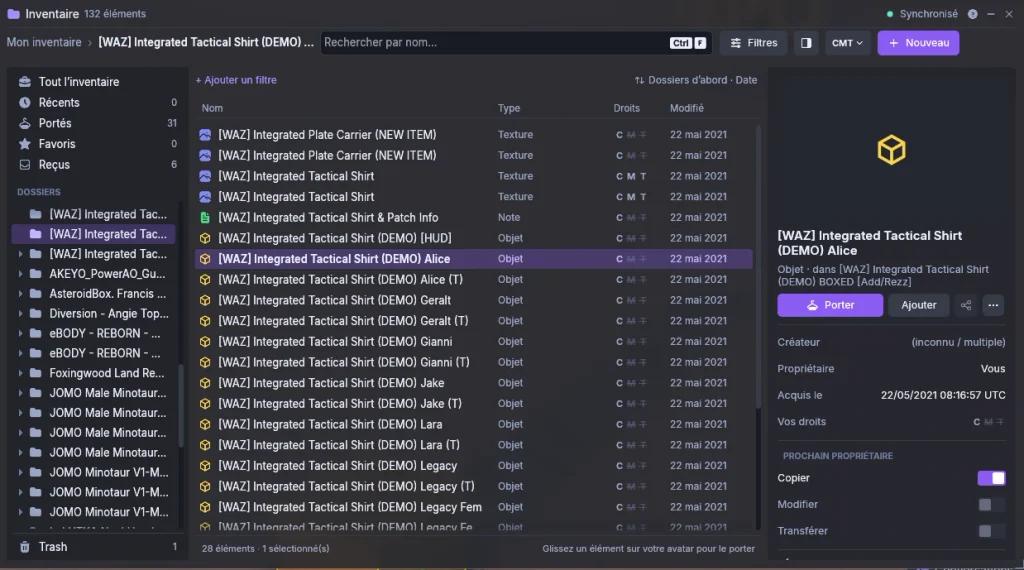
Wider inventory view with filters, item details and permissions visible at a glance.
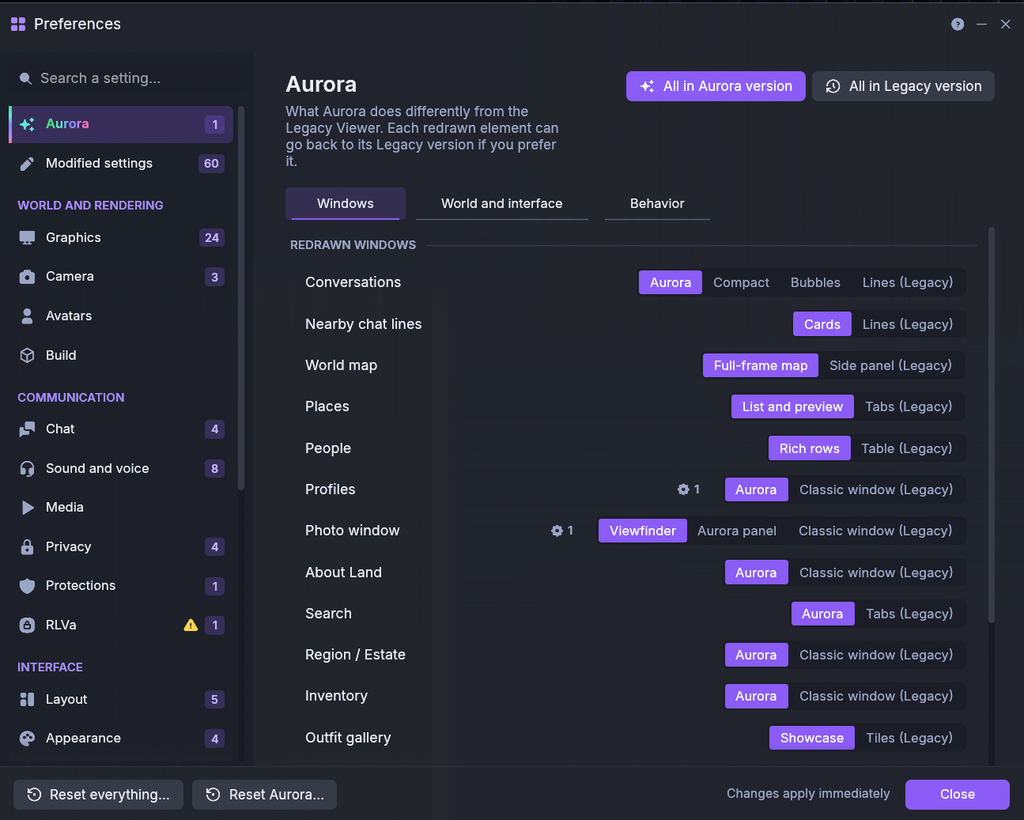
You can switch individual redesigned windows back to their Legacy Viewer versions.

A notification centre keeps track of things you missed.
Is it ready to replace your current viewer?
Absolutely!
However, Aurora is still in a beta version stage. Some features may need further testing, and there will inevitably be bugs, missing conveniences and things that don’t behave exactly as they do in your favourite viewer. But, the viewer gets constant updates and you feel that the developers care and love what they are doing.
Think of Aurora as an interesting new and modern alternative worth experimenting with.
You can keep your usual viewer while discovering what Aurora has to offer. But one thing I can confirm for sure, is that it’s pretty much useable. I didn’t have any problems with it and one thing that I liked with Aurora viewer immediately is that it doesn’t throw you in a maze or in a deep black scary forest and asks you to find your way back to your home. It feels like home and makes you feel welcome from the beginning without having to dig too much to find what you need.
About The Author